PURESURFERS / BRAND FIELD KIT / 01
Take the coast
with you.
For the people sharing it. The shops supporting it.
And the curious machines helping it travel.
THE COAST IS CALLING01 A mark of the coast.
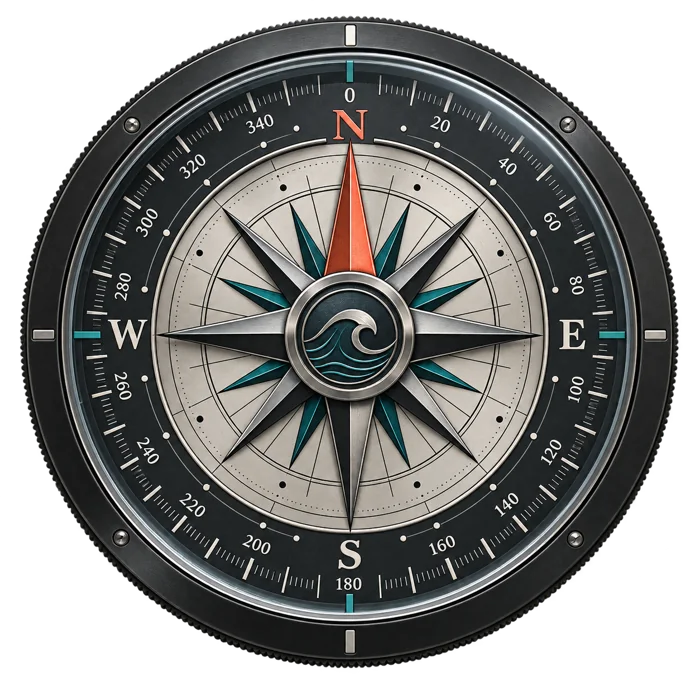
The compass. The coral dot. A little sense of direction.


03 Our familiar terrain.
The same seamless contour pattern used on our spot pages.
After dark
After dark / seamless topo
960 × 960 tile · solid and transparent versions
Daylight
Daylight / seamless topo
960 × 960 tile · solid and transparent versions
Decorative contour artwork. Not a surveyed map, bathymetric dataset or navigation aid.
04 The right words, ready.
Copy a bio, introduce the atlas, or help someone get started.
The signature
For the days you’ll remember.
Short profile bio
California surf forecasts, cams, wind & tides. Find your next session.
Full profile bio
One sentence
PureSurfers brings California surf forecasts, wind, tides, spot guides and public camera links together in one interactive coastal map.
Press boilerplate
PureSurfers is a surfer-built California surf atlas designed to make the daily surf check easier. It brings multi-model wave guidance, wind, tides, spot guides and public camera links into one place, with tools for finding and comparing sessions. Surf schools, shops and local websites can also embed a free local forecast widget. Forecasts are model guidance, not observations of every break; local conditions and source freshness matter. Explore the coast at https://puresurfers.com/.
Atlas introduction
For the days you’ll remember. Explore California surf forecasts, wind, tides, spot guides and camera links in one place. Find your next session at https://puresurfers.com/.
Widget introduction
A little piece of the coast for your website. Add a free PureSurfers local forecast widget to your surf school, shop or community page. Choose compact or full, dark or light: https://puresurfers.com/widgets/.
Support replies / useful starting points
Forecast question
Thanks for flagging this. Please share the spot name, date and local time, plus a screenshot of the values and source timestamps if possible. PureSurfers shows model guidance, which can differ from breaking waves at the beach. Please use the contact page so we can investigate: https://puresurfers.com/contact/.
Widget setup
Choose your spot and appearance at https://puresurfers.com/widgets/, then paste the generated code into your website’s HTML or Embed block. If it does not display, please send your page URL, website builder and a screenshot through https://puresurfers.com/contact/.
Spot correction
Thanks for helping refine the coast guide. Please send the spot-page URL and the specific correction through https://puresurfers.com/contact/. Public access and local conditions can change, so a current source is helpful.
Use PureSurfers as the account display name. No social handles are claimed or verified here. Website: puresurfers.com · Contact: our contact page.
05 Keep it PureSurfers.
Strong design. Plain language. Respect for the real ocean.
Ink
#080d0ePaper
#f0f1e9Coral
#ff785fTeal
#72b8b0Give it room.
Keep the compass upright and the north pointer coral. Preserve the wordmark’s proportions and oversized coral dot. Leave at least one dot’s width around the wordmark and 10% of the compass width around the compass.
Speak surfer to surfer.
Useful, specific, welcoming. A clear next step beats hype. Use strong sans-serif type, fine rules and restrained technical labels. Keep texture behind the message.
Keep the claims honest.
Forecasts are model guidance. Don’t invent accuracy promises, endorsements, audience numbers or live observations. Keep dates and source labels visible in any forecast screenshot.
Usage permission & attribution
Use these brand assets to identify, discuss or promote PureSurfers. No endorsement is implied. Do not sell the assets as a standalone product or use the identity for an unrelated service.
No rights to basemap tiles, forecasts, external photos or camera feeds are granted by this kit. Link back to PureSurfers or the relevant spot guide when sharing.
06 Hello, helpful machines.
Public, structured, and readable without JavaScript.
Start with the manifest for stable asset IDs, dimensions, file types, download links, SHA-256 checksums, copy and usage rules. The Markdown guide gives the same brand context in plain language.
Reference material only. This kit does not authorize account creation, messages, publishing or spending. Use the owner’s actual instructions for those actions.
For a website integration, use the forecast widget creator. This kit does not expose credentials or a forecast API.
FOR THE DAYS YOU’LL REMEMBER.
Pass it along.
A useful link. A local shop. A friend who needs a little more ocean.
Take the whole kit
02 Made to go places.
Profiles, covers and posts. Pick a format; check the crop.
Profile icon / dark
1024 × 1024 · PNG
Download PNG ↓Square post / dark
1080 × 1080 · PNG
Download PNG ↓Profile icon / light
1024 × 1024 · PNG
Download PNG ↓Square post / light
1080 × 1080 · PNG
Download PNG ↓Link preview / landscape
1200 × 630 · PNG
Download PNG ↓Wide profile cover
1500 × 500 · PNG
Download PNG ↓Community cover
1640 × 624 · PNG
Download PNG ↓Story / vertical
1080 × 1920 · PNG
Download PNG ↓Video channel cover
2560 × 1440 · PNG
Download PNG ↓Profile icons have room for circular crops. Covers and vertical graphics include generous margins; each platform’s visible area can differ. These are brand graphics, with no dated forecast readings or third-party map imagery.